
Two Hours of Tennis.
Just the Points.
Rallytics finds every rally in a match recording and cuts out everything in between — and lets you fix whatever it missed. A desktop app for macOS and Windows; your original footage never leaves your computer.
2 free hours of analysis — no card required
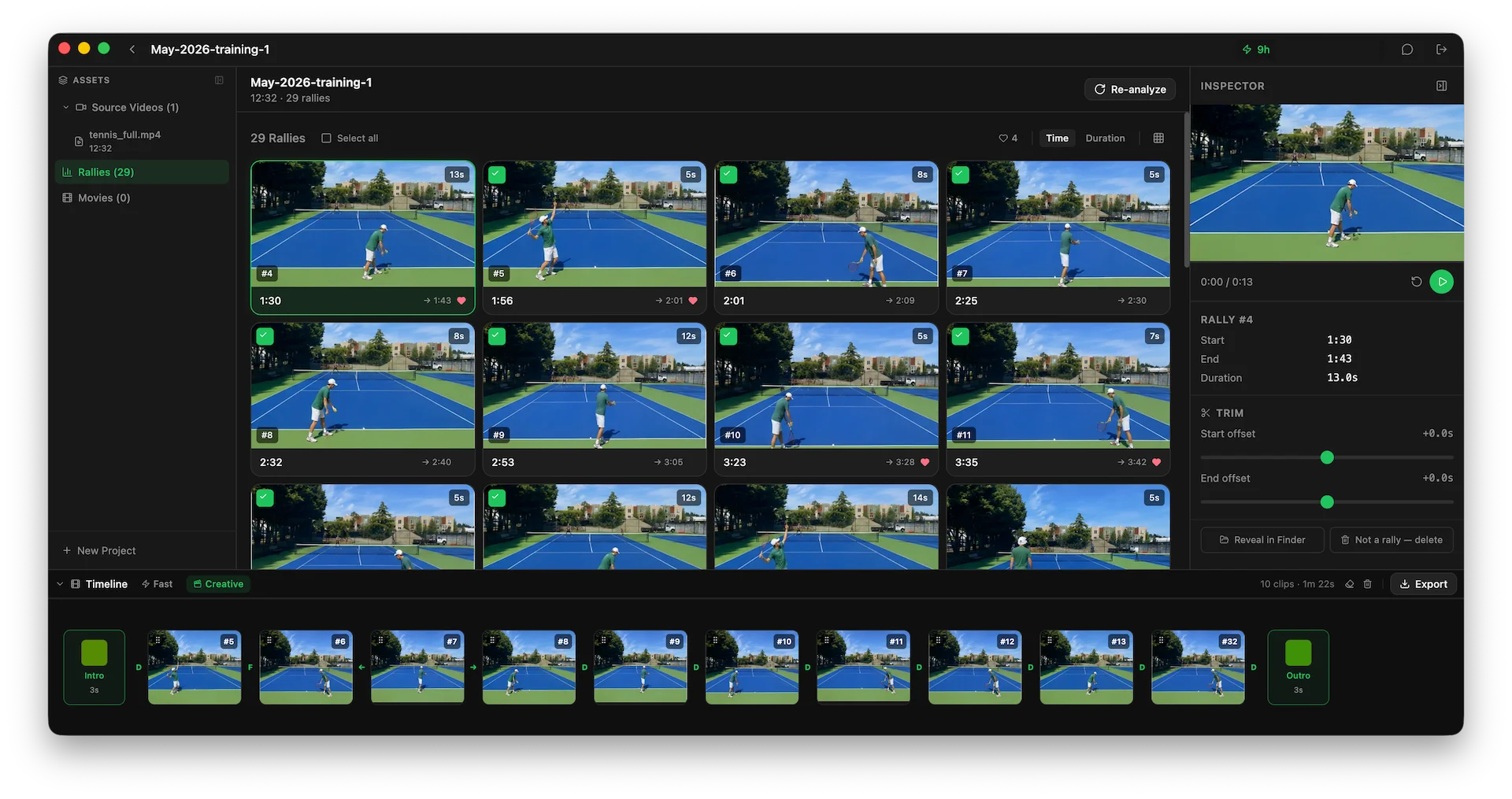
Actual app interface — rally detection streams in as your video is analyzed
From a full recording
to the points worth keeping
The slow part — finding each point in hours of footage — happens first, automatically. What's left is deciding which ones to keep.
Detection
Every rally, found for you
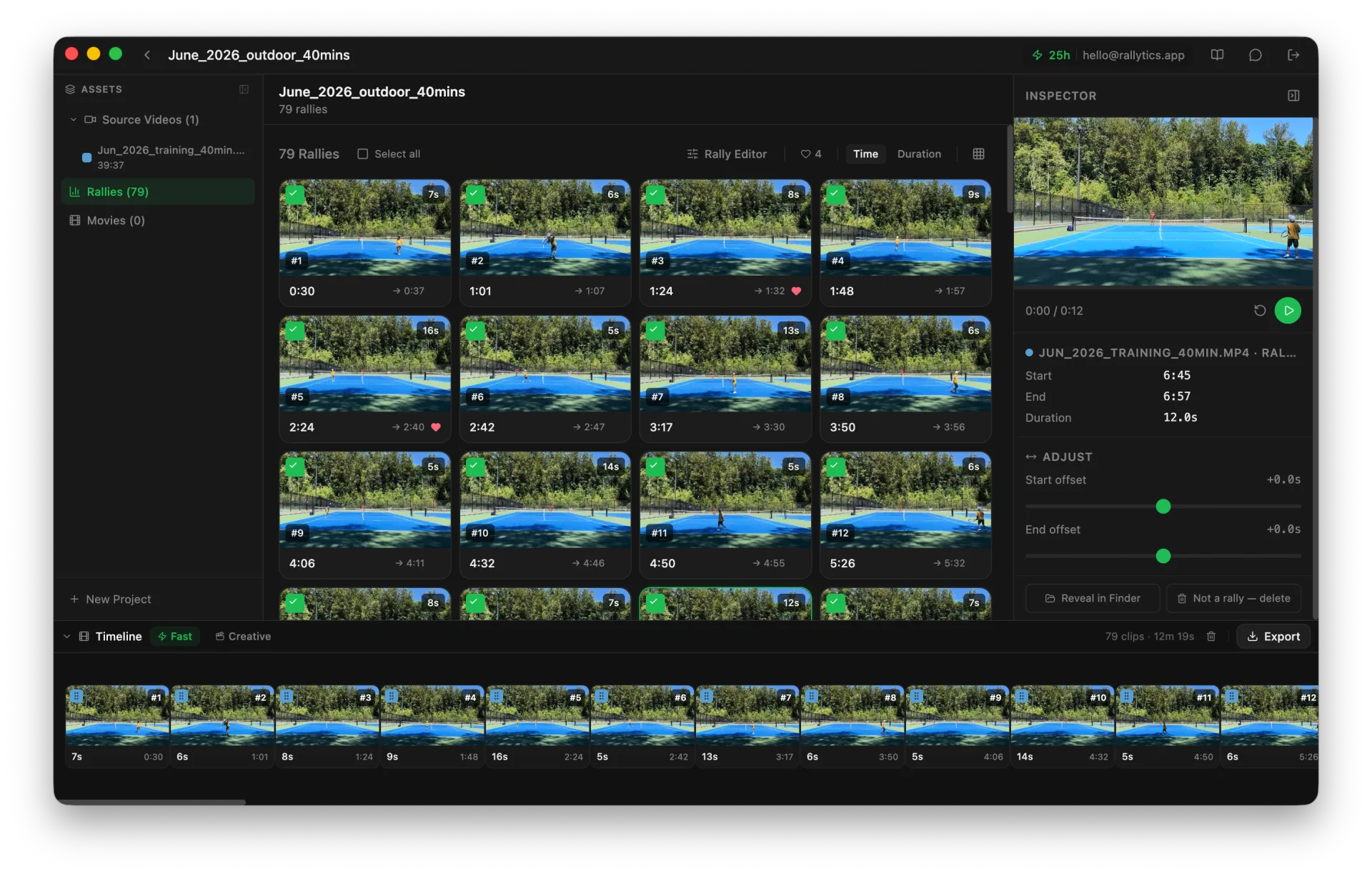
Import a session and Rallytics works through it, marking where each point starts and ends. The clips appear as they are found rather than all at once, so a long match is usable before it has finished.
Correction
Fix anything it got wrong
No detector catches every point. The Rally Editor puts the whole match on one timeline with every rally and every gap beside it — so you can sort the gaps by length, play the long ones, and draw in the rally that was missed. Split, join and boundary nudges are all one click, and all undoable.
How this works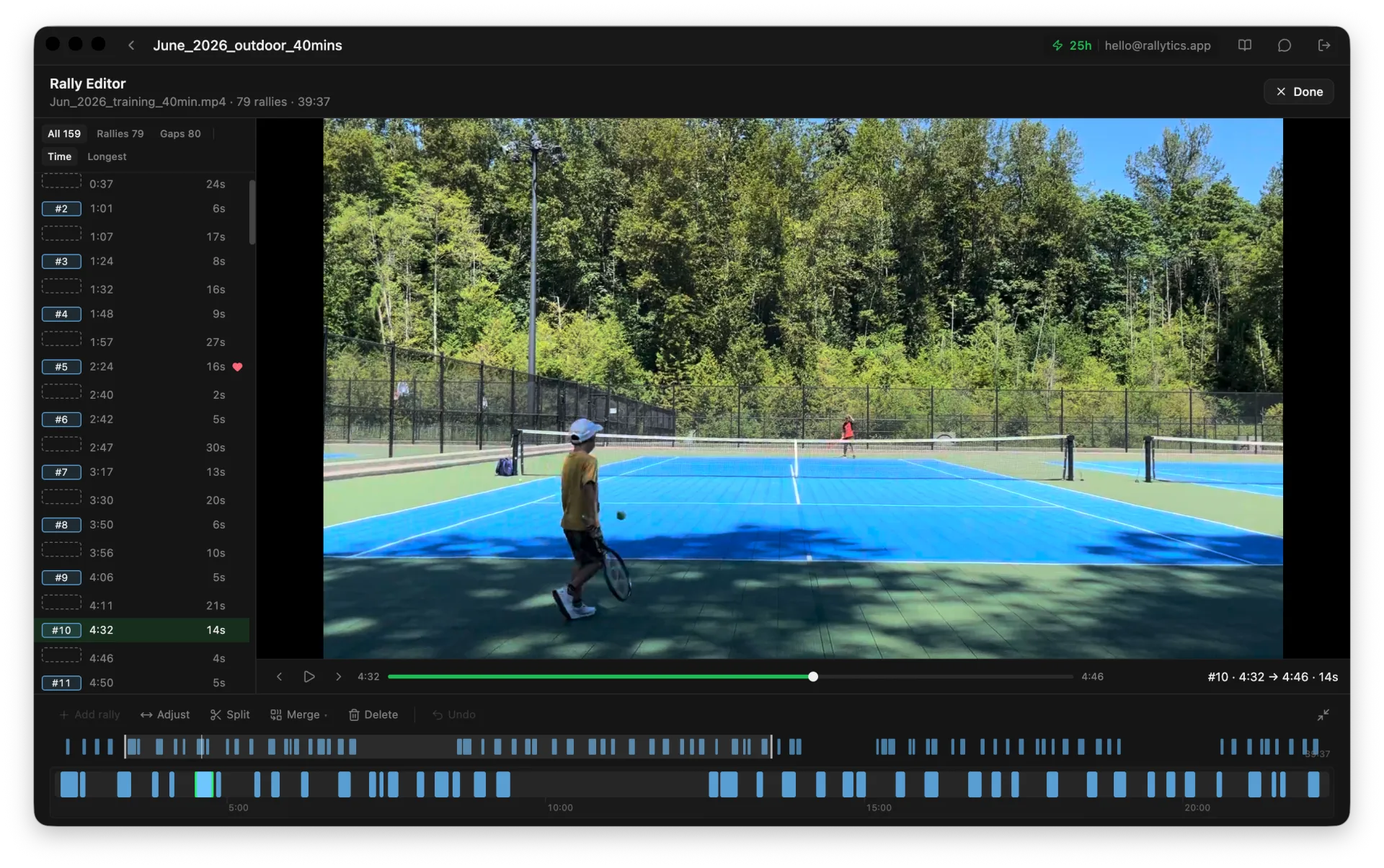
Export
Keep the good ones, export once
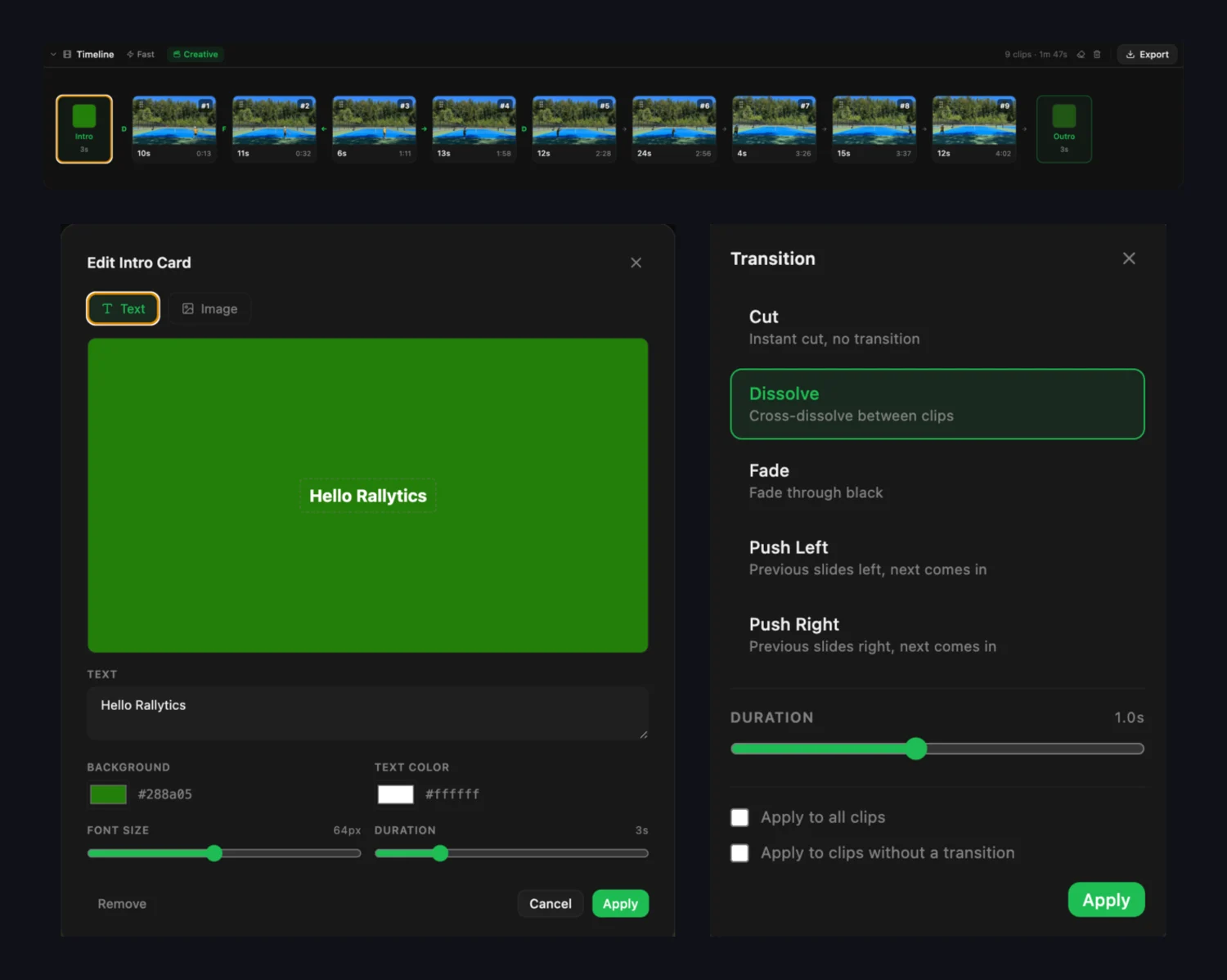
Drag the rallies worth keeping into order and export a single video. Either a quick stitch, or one with an intro card, an outro and transitions between points. Rendering happens on your own machine.
Works with the footage you have
Any length, any resolution, from a phone on the fence or a camera on a tripod. Drag the file in and Rallytics makes the low-resolution working copy itself — there is nothing to convert first and no particular camera position to hit.
Your original stays on your machine
Rallytics makes a small low-resolution copy locally and sends only that for analysis. The cutting happens on your computer against the full-quality file — what leaves is a description of your video, not the video.
No subscription, no storage fees
Your footage lives on your own drive. You buy hours of analysis once, or an Annual Pass that releases hours monthly for a year. Nothing auto-renews and there is nothing to cancel.
Simple, hour-based pricing
One hour of processing time analyzes one hour of tennis footage.
Buy hours once — no subscription, no auto-renewal, nothing to cancel.
New to Rallytics?
Start with 2 free hours of AI analysis — no credit card required.
Annual Pass
8 hrs every month, for 12 months
Each month's hours expire at the end of that month and don't roll over
Get StartedHours from any purchase stack, and are always spent in order of what expires first.
Questions people ask
What do I need to use it?
A computer running macOS or Windows, and a video file. There is no hardware to buy, no app to run while you play, and no particular camera — whatever recorded the match is fine.
Does it work on Windows, or only Mac?
Both. Rallytics is a native desktop app for macOS and Windows. There is no phone app and no web version — the footage stays on the computer it is already on.
Can I use footage I recorded myself, on any camera?
Yes — that is the only kind Rallytics works with. There is nothing to run while you play. You record however you already do, on a phone, a camcorder, an action camera or a court system, then bring the file to the computer and import it.
Where do I have to put the camera?
Anywhere the court is visible. Rallytics analyses the footage rather than tracking the ball geometrically, so it does not need a fixed height, a specific end of the court, or a tripod. Phone footage from the fence works.
How rally detection worksHow long does an hour of footage take to analyse?
Usually a few minutes, and the rallies appear as they are found rather than all at once at the end. One hour of footage costs one hour of analysis time from your balance.
What if the analysis misses a point?
No rally detector catches every point, so Rallytics includes a Rally Editor for fixing it. It lists every rally and every gap between them, so you can sort the gaps by length, play the long ones, and add the rally that was missed. You can also split one entry into two, join two halves of the same point, or drag a start earlier when the serve was clipped.
Fixing missed rallies, step by stepWhat do I get at the end?
Every rally as its own clip, with the start and end placed where a person would have put them. From there you pick the ones worth keeping, put them in order, and export a single video — either a quick stitch or one with an intro, outro and transitions.
Building a highlight reelDoes my video get uploaded?
Your original recording never leaves your computer. To find the rallies, Rallytics makes a small low-resolution copy locally and sends only that for analysis. The cutting happens on your machine against the full-quality file, so what goes out is a description of your video rather than the video.
How rally detection worksGuides & comparisons
How to get clean rally clips out of a full match — and how Rallytics compares to the other ways of doing it.
How to Fix Missed Rallies in an AI-Analysed Tennis Video
No rally detector catches every point. Here's how to find the ones it missed, split points it ran together, and fix a start that clipped the serve — without going back to a generic video editor.
September 13, 2026
How Tennis Rally Detection Works
Rally detection finds the points in a recording and drops everything else. What it has to get right, why some tools are fussy about where you put the camera, and what you actually end up with.
August 27, 2026
Tennis Video Editor for Mac
Choosing a tennis video editor for Mac? iMovie and Final Cut cut it by hand. Here's what the automatic options do differently, and how to pick between them.
August 12, 2026
Start analyzing your sessions today
Free to download. 2 hours of analysis included. No credit card required.