
SwingVision Alternative for Windows & Mac
Updated August 8, 2026
If you play tennis and record yourself, you’ve almost certainly come across SwingVision. It’s the most established AI tennis app there is, and it earns that reputation. But it isn’t the only way to get value out of your footage — and depending on what you actually want to do with it, it may be more app than you need.
If you’re looking for a SwingVision alternative — because you’re on Windows, because you mainly want highlight clips rather than analytics, or because you’d rather keep your recordings on your own computer — this guide is for you.
At a glance
| SwingVision | Rallytics | |
|---|---|---|
| Platforms | iPhone, iPad, Mac, Apple Watch | Windows and Mac |
| Built for | Full match analytics — line calls, shot stats, coaching | Turning footage into rally highlight clips |
| Camera setup | Works best at a recommended angle and height | Flexible — most angles, including handheld |
| Where your video lives | Cloud (kept 7 days on the free plan) | On your own disk, indefinitely |
| 4K | On its top tier | Supported on every plan |
| Exports without branding | On its paid plans | Always |
| Paying for it | Subscription | One-time — no subscription |
First, credit where it’s due
SwingVision is the category leader, and it’s genuinely impressive. Automatic line-calling, shot-by-shot statistics, scoring, coaching insight, real-time feedback as you play, Apple Watch integration — it is a complete, data-rich training tool. If you live in the Apple ecosystem and you want all of that, it is hard to beat, and nothing below is meant to take away from it.
It’s also worth being accurate about the free plan, because it is more generous than people assume. Removing the dead time between points is included at no cost, along with eight hours a month of recording and basic shot stats. If that is all you need and you’re on an iPhone, you may not need anything else.
Two limits are worth knowing before you build a habit around it:
- Recordings are kept for seven days on the free plan. Keeping them beyond that is a paid feature.
- Shared highlights carry SwingVision branding and are capped at five minutes until you upgrade.
- Imported footage counts against your monthly hours in the same way recorded footage does.
Those aren’t criticisms — a free tier has to end somewhere. But if your intention is to build a library of your own matches over a season, they’re the details that decide whether the tool fits.
But maybe you just want the rallies
A full analytics suite is a lot of tool. For a lot of players the day-to-day need is much narrower: take a two- or three-hour recording, cut out the standing around, and end up with clean, clip-by-clip rallies you can watch, keep, or send to someone.
That narrower job — turning footage into rally clips — is what Rallytics is built for, and it makes some different trade-offs to get there.
Where Rallytics is different
It runs on Windows
This is the clearest difference. SwingVision is an Apple-ecosystem product — iPhone, iPad, Mac, Apple Watch — and there is no Windows version. If your video ends up on a Windows PC, as it does for most people with a camcorder, a GoPro, or a spouse filming on an Android phone, that’s the end of the conversation.
Rallytics is a desktop application for Windows and macOS. Both companies have a Mac app; only one of them has Windows.
It isn’t picky about how you filmed
SwingVision’s shot-tracking and line-calling need to know where the court is, which is why its guidance asks for a particular camera angle and height. That precision is what makes the tracking possible — it’s a consequence of doing more, not a flaw.
Rallytics is doing something simpler, so it can be more forgiving. It uses an AI model to understand what’s happening in the video rather than to measure the court, which means side-on, handheld, a phone wedged in the fence, or a GoPro on a tripod all tend to work. 4K is supported on every plan, rather than being reserved for a top tier.
Your original footage never leaves your computer
When Rallytics analyses a session, it creates a small, low-resolution copy locally and sends only that away to find where the rallies start and end. Your original recording stays on your machine, and the actual cutting happens locally, on the full-quality file.
This is the difference between a tool that borrows a description of your video and one that takes custody of the video itself.
Your library lives on your own disk
Tennis video is big and it accumulates fast. A phone is not a good place to keep a season, and keeping everything in the cloud usually means paying for the privilege — on SwingVision’s free plan, recordings are available for seven days.
With Rallytics, your originals, your rallies and your exports are ordinary files in ordinary folders on your computer. They don’t expire, they don’t depend on an account being current, and backing them up is whatever you already do to back up your computer.
No subscription
Rallytics doesn’t sell one. You buy processing time when you need it and it’s yours: a $4.99 pack covers three hours, a larger one covers eight, and an Annual Pass ($89.99, one payment) releases eight hours a month for a year without auto-renewing.
SwingVision’s plans are Pro at $143.99/year and Max at $239.99/year, alongside the free tier described above.
Which of those is better value depends entirely on how much you film — see the honest version of that answer below.
What using it actually looks like
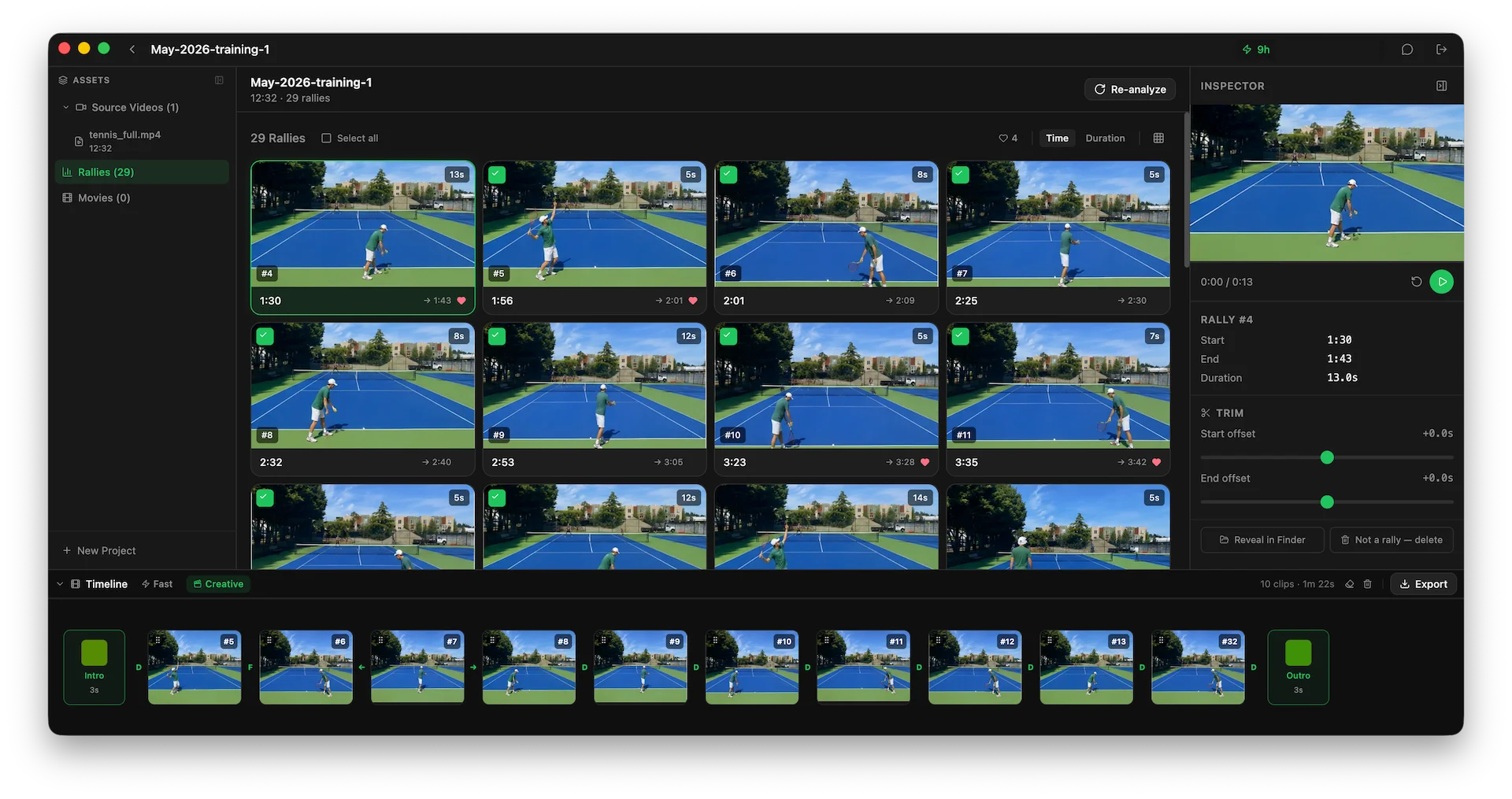
You point Rallytics at a video file already on your disk. It works through it and comes back with the rallies as a grid of thumbnails, each with its start time, end time and length.
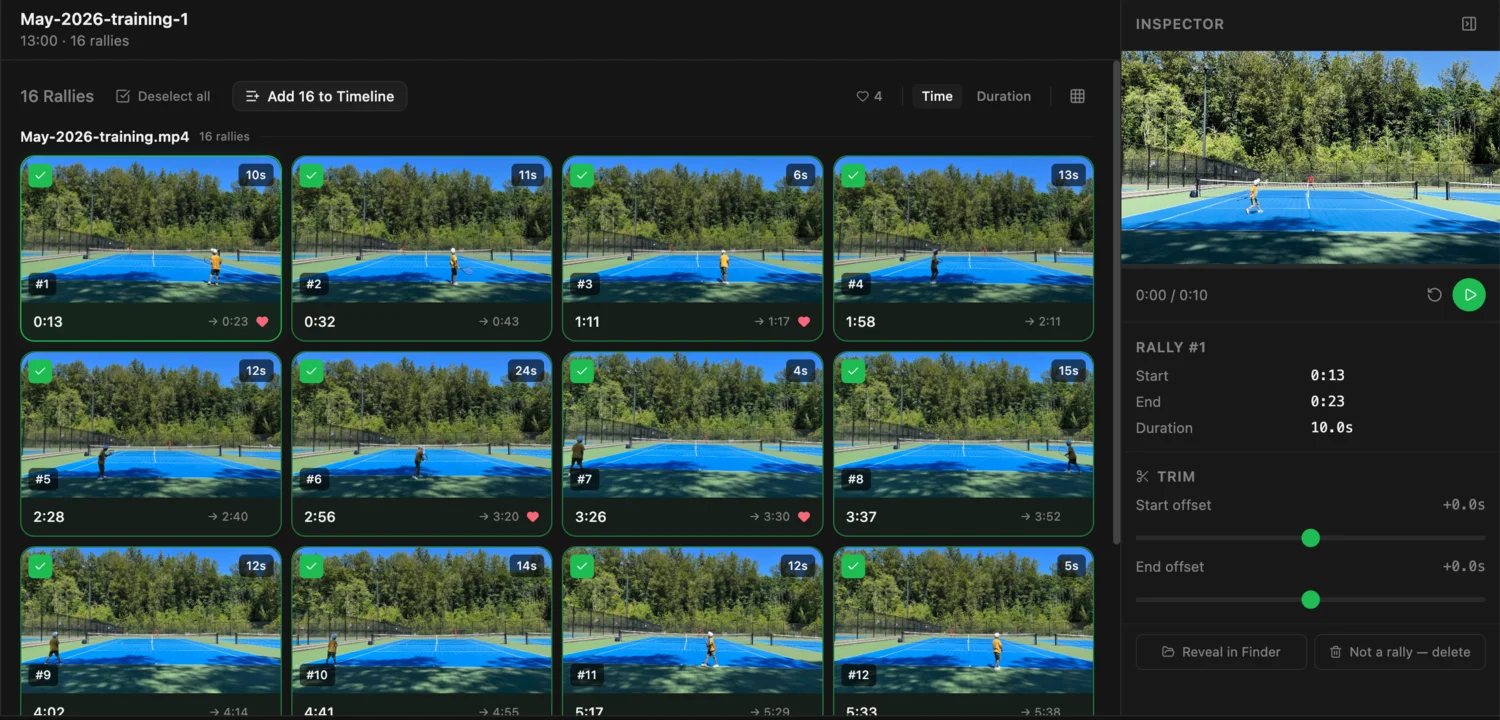
From there you review them. Play a rally, nudge its start or end a little if the cut isn’t quite right, mark the good ones, and throw away anything that isn’t actually a rally — the detection is good but it isn’t infallible, and correcting it takes a click.
Then you pick the ones worth keeping, drag them into order, and export a single MP4 — optionally with an intro card, an outro, and transitions between clips.
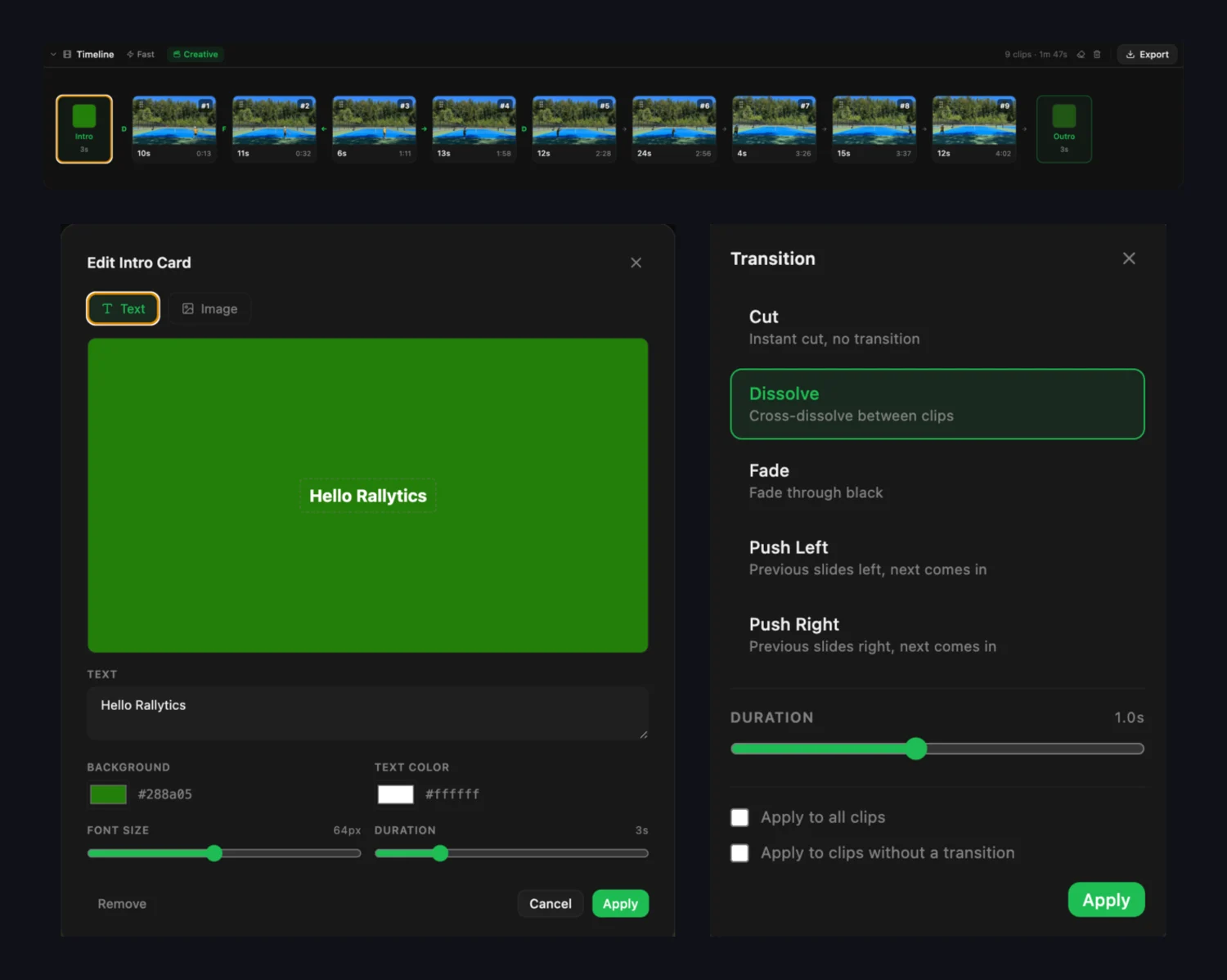
The whole loop happens on your computer, against your original file, at full quality.
Moving footage you already have
There’s nothing to migrate in the usual sense — Rallytics reads standard video files, so anything you’ve already recorded works as-is:
- Install it on the Windows PC or Mac where your video lives. The download is free.
- Point it at a file — an MP4 from a phone, a GoPro, a camcorder, or something you exported from another app.
- Analyse it. The first two hours are included with a new account, no card required.
- Review the rallies, trim what needs trimming, mark the good ones.
- Export the ones you want as a single highlight movie.
If your existing matches are currently sitting in SwingVision, export them first — on the free plan, remember that recordings are only available for seven days.
When SwingVision is still the right call
To be direct about it: if you film most weeks, SwingVision is likely the better deal, and it does more.
A subscription that includes thirty or sixty hours a month rewards heavy use, and Rallytics — which pays for AI processing on every analysis — cannot match that at volume. We’re not going to pretend otherwise.
It’s also simply a bigger product. If you want automatic line calls, shot-by-shot technique review, scoring and match statistics, coaching insight, or Apple Watch integration, SwingVision is purpose-built for all of it and Rallytics does none of it.
Rallytics makes more sense if:
- You’re on Windows, where SwingVision isn’t an option at all.
- You film occasionally — a few matches a season — and a year-round subscription is poor value for that.
- You want the footage to stay yours: on your disk, not expiring, not tied to a plan.
- Your camera angle is whatever was available that day.
- You mainly want clips, not analytics.
Common questions
Does SwingVision work on Windows? No. It’s an Apple-ecosystem app — iPhone, iPad, Mac and Apple Watch. Search results promising a Windows download are third-party wrappers, not an official version.
Does SwingVision’s free plan remove dead time? Yes. Video trimming is included on the free plan, along with eight hours a month and basic shot stats. The main free-plan limits are that recordings are kept for seven days and shared highlights carry branding and a five-minute cap.
Can I use Rallytics with video I’ve already recorded? Yes — that’s the normal case. It reads standard video files from your disk. Matches, practice sessions and drills all work.
Do I need to set the camera up in a particular way? No. Rallytics interprets the video rather than measuring the court, so most reasonable angles work, including handheld phone footage and cameras clipped to a fence.
Does my video get uploaded? Only a small, low-resolution copy, and only for finding where the rallies are. Your original file stays on your computer, and the clipping is done locally against the full-quality original.
Is there a free version? New accounts include two hours of analysis, with no card required. After that you buy processing time in one-off packs; there’s no subscription and nothing to cancel.
What happens to my clips if I stop paying? Nothing. Your videos, rallies and exports are files on your own disk. There’s no account state that makes them stop working.
Can Rallytics call lines or track shot speed? No. It finds rallies and helps you turn them into clips. If you want line calls, shot-by-shot analysis or match statistics, SwingVision does those and Rallytics doesn’t.
Does 4K work? Yes, on every plan. Analysis runs against a low-resolution copy, so a large source file doesn’t cost you anything extra, and the export is cut from the original.
Which one should I choose? If you want analytics and you film regularly on Apple hardware, SwingVision. If you’re on Windows, film occasionally, or want your footage to live on your own computer, Rallytics is likely the better fit. They’re different tools, and plenty of people would be well served by either.
Try it on your own footage
If the narrower job is what you’re after, give Rallytics a match or two of your own video and see how it feels. It’s a free download for Windows and Mac, and the first two hours of analysis are included — no credit card required.