
SwingVision Alternative for Mac & Windows
June 26, 2026
If you play tennis and record your matches, you’ve almost certainly come across SwingVision. It’s the most established AI tennis app out there, and it earns that reputation. But it isn’t the only way to get value out of your footage — and depending on what you actually want to do, it may be more app than you need.
If you’re looking for a SwingVision alternative — maybe because you’re on Windows, you mainly want highlight clips, or you’d rather keep your footage on your own computer — this guide is for you.
First, credit where it’s due
SwingVision is the category leader, and it’s genuinely impressive. Automatic line-calling, shot-by-shot statistics, AI coaching tips, real-time feedback as you play, Apple Watch integration — it’s a complete, data-rich training tool. If you live in the Apple ecosystem and you want all of that, SwingVision is hard to beat, and nothing below is meant to take away from it.
But maybe you just want the rallies
A full analytics suite is a lot of tool. For many players the day-to-day need is simpler: take a two- or three-hour recording, cut out the dead time between points, and end up with clean, clip-by-clip rallies you can review or share.
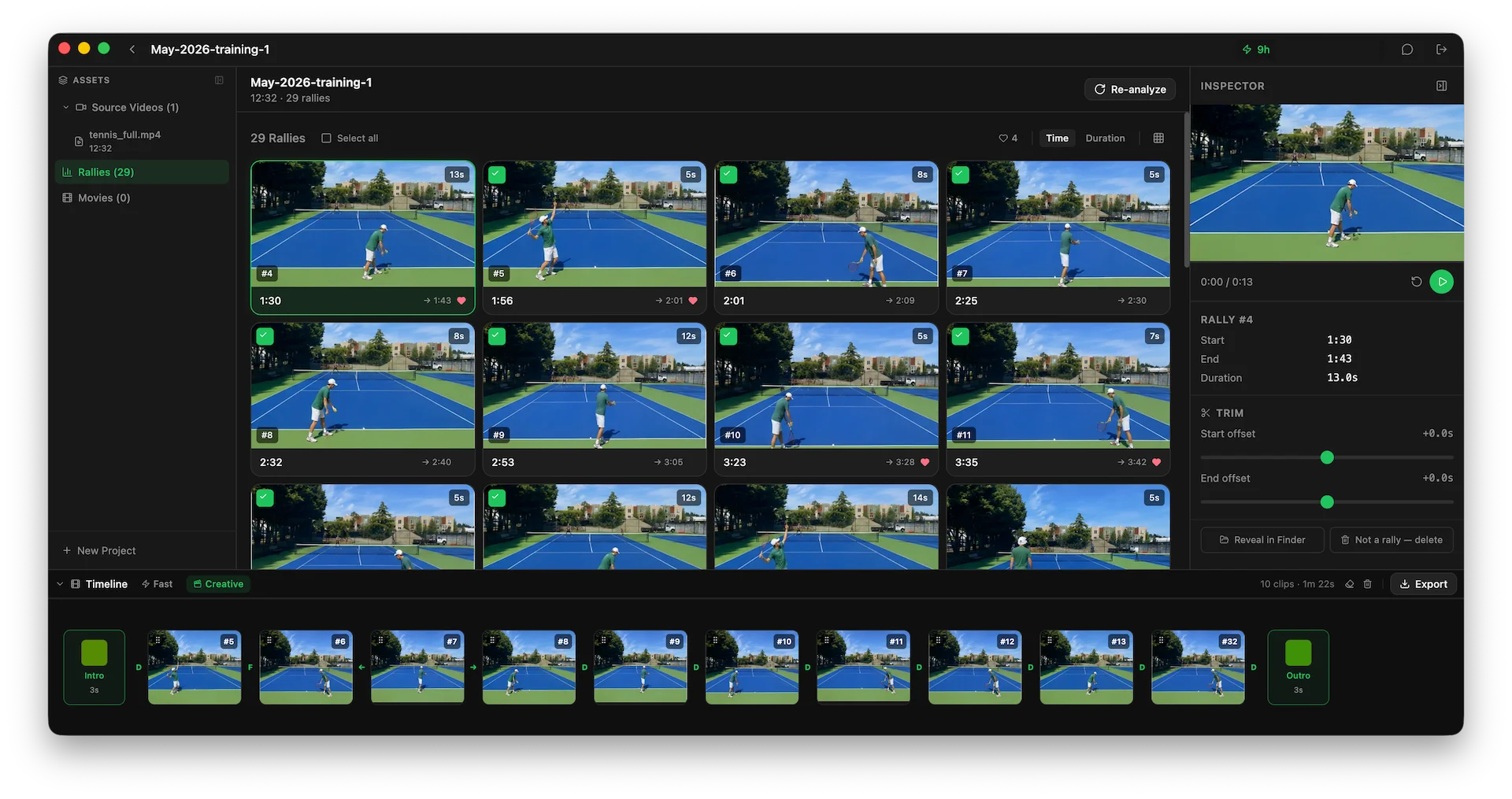
That narrower job — turning footage into rally clips — is exactly what Rallytics is built for, and it makes some different trade-offs to get there.
Where Rallytics is different
It runs on Windows and Mac
SwingVision is an Apple-ecosystem app (iPhone, iPad, Mac, Apple Watch); there’s no native Windows version. Rallytics is a native desktop app for both Windows and macOS, so it works on the computer you already use.
It’s not picky about how you filmed
SwingVision’s automatic shot-tracking and line-calling are designed to work best when your camera is set up at a recommended angle and height — that precise court geometry is what makes the tracking possible.
Rallytics takes a different approach: it uses an AI model to understand the video rather than track the court, so it’s far more forgiving of how you shot it. Side-on, handheld, a phone propped on the fence, a GoPro on a tripod — most reasonable angles just work. It also handles 4K footage (on SwingVision, 4K is reserved for its top tier).
Your original footage stays on your computer
When Rallytics analyzes a match, it only sends off a small, low-resolution preview for the AI to locate the rallies. Your original recording never leaves your computer, and the actual clipping happens locally on your full-quality video.
Your video library lives on your PC
Tennis videos are big, and they pile up fast. A phone isn’t a great place to keep a season’s worth of matches, and storing them all in the cloud usually means a subscription. With Rallytics, your originals, clips, and exports live as normal files on your computer — no phone-storage pressure, no separate cloud-storage plan.
Flexible pricing, without the lock-in
Rallytics has subscriptions if you analyze matches regularly — but you’re never tied to one. If you only occasionally have a stack of footage to get through, you can buy a one-time value pack instead — for example, $4.99 for three hours of analysis — and just process what you’ve got. No recurring charge, nothing to remember to cancel.
At a glance
| SwingVision | Rallytics | |
|---|---|---|
| Platforms | iPhone, iPad, Mac, Apple Watch | Windows, Mac |
| Best for | Full match analytics — line calls, shot stats, coaching | Turning footage into rally highlight clips |
| Camera setup | Works best at a recommended angle & height | Flexible — most angles, including handheld |
| 4K video | On its top tier | Supported |
| Where your videos live | Phone + cloud (cloud storage on paid plans) | Locally, on your computer |
| Pricing | Subscription | Subscriptions or one-time value packs |
When SwingVision is still the right call
To be clear: if you want automatic line-calling, detailed shot-by-shot statistics, real-time feedback as you play, or Apple Watch integration, SwingVision is purpose-built for all of it and does it well. For a competitive or data-driven player in the Apple ecosystem, it’s a fantastic tool and probably the right one.
Rallytics isn’t trying to replace that. It’s for the narrower, very common job of turning match footage into rally clips — done simply, privately, and on whatever computer you already use.
Try it on your own footage
If that’s what you’re after, give Rallytics a match or two of your own footage and see how it feels. It’s a free download for Windows and Mac, and the first two hours of analysis are included — no credit card required.